
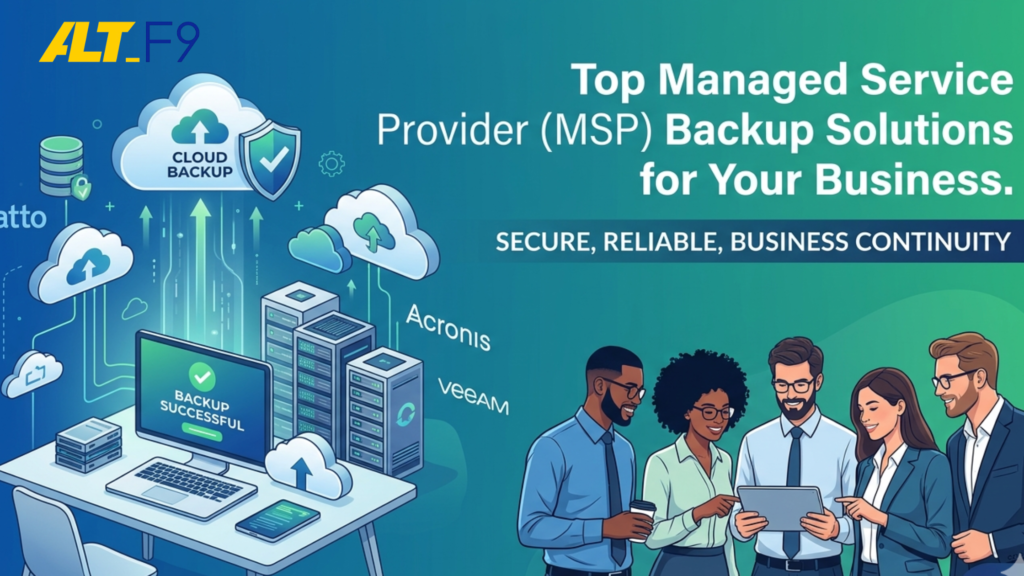
In today’s hyper-digital landscape, data is the lifeblood of any organization. Whether it’s sensitive patient records, proprietary financial data, or critical manufacturing workflows, losing access to this information can be catastrophic.
Managed Service Providers (MSPs) have emerged as the frontline defenders for small to mid-sized enterprises (SMEs), offering sophisticated backup and disaster recovery (BDR) solutions that were once only available to large corporations.
Understanding the Role of Managed Service Providers (MSPs)
A Managed Service Provider (MSP) acts as an outsourced IT department. Instead of managing complex hardware and software in-house, businesses partner with MSPs to handle everything from network security to data redundancy.
The primary advantage of using an MSP for backups is proactive management. Rather than simply “setting and forgetting” a backup drive, an MSP continuously monitors your data streams, applies security patches, and ensures that backups are verified and restorable.
Related Reading:Why Managed IT Services Boost Growth for Businesses in 2026
Why Modern Businesses Prioritize Managed Backup
The risks associated with data loss are no longer just technical—they are existential. A robust backup strategy serves as a safety net against:
- Cyber-attacks: Ransomware can paralyze a business by encrypting its entire server. A clean, off-site backup allows you to restore systems without paying a ransom.
- Human Error: Accidental deletions or overwriting of files remain the most common causes of data loss.
- Regulatory Compliance: Industries like healthcare (HIPAA) and finance (FINRA) require strict data retention and security protocols. Failure to comply can lead to devastating legal penalties.
Related Reading:Essential Guide to IT Infrastructure Setup for New Offices (2026 Complete Guide)
Key Features of High-Authority Backup Solutions
When evaluating a backup service, look for these non-negotiable features to ensure your business remains resilient:
- Data Integrity and Security: Look for AES-256 encryption for data “at rest” and “in transit.”
- Scalability: Your backup solution should grow alongside your data volume without requiring a complete infrastructure overhaul.
- Instant Virtualization: In the event of a server failure, top-tier solutions can “spin up” a virtual version of your server in minutes, allowing work to continue while the hardware is repaired.
- Granular Recovery: The ability to restore a single lost email or document rather than having to restore the entire system.
Top MSP Backup Solutions for 2026
While many tools exist, three providers consistently lead the market in reliability and feature sets:
1. Datto (Kaseya)
Datto is a gold standard for MSPs. Their Unified Continuity platform offers hybrid cloud backups. If your local server dies, Datto can run your entire business infrastructure from their secure cloud.
- Best for: Businesses requiring “zero downtime” and high business continuity.
2. Acronis Cyber Protect
Acronis blends backup with advanced cybersecurity. It uses AI-based behavioral analysis to stop ransomware in its tracks before it can even touch your backups.
- Best for: Organizations looking for an all-in-one security and backup ecosystem.
3. Veeam
Veeam is the powerhouse of virtualized environments. It offers incredible flexibility and is often the choice for companies with complex, multi-cloud, or hybrid setups.
- Best for: Highly technical environments and large-scale virtualization.
Related Reading:Why 3CX is the Future of Communication in India Over EPABX
On-Premises vs. Cloud Backup: Which is Better?
Choosing the right architecture depends on your specific operational needs.
| Feature | On-Premises Backup | Cloud-Based Backup |
| Speed | Extremely fast recovery via local network. | Limited by internet bandwidth. |
| Cost | High upfront hardware investment. | Monthly subscription (OPEX). |
| Control | Full physical control over data. | Managed by third-party security. |
| Disaster Recovery | Vulnerable to local disasters (fire/flood). | Highly resilient; data is stored off-site. |
The Professional Recommendation: Most MSPs now suggest a Hybrid-Cloud approach. This keeps a copy locally for fast restores and a copy in the cloud for disaster recovery.
Related Reading:How Microsoft 365 Reduces Costs for Small & Medium Businesses
Overcoming Common Backup Challenges
Implementation is rarely a straight line. Businesses often face:
- Complexity: Managing multiple endpoints (laptops, servers, mobile). Solution: Centralized management consoles.
- Testing Failures: A backup is useless if it doesn’t work. Solution: Scheduled automated “DR drills” to verify data integrity.
- Storage Costs: Data grows exponentially. Solution: Incremental backups and data deduplication to save space.
Future Trends: AI and Edge Computing
The future of backup is becoming more intelligent. AI and Machine Learning are now being used to predict when a hard drive might fail or to detect unusual patterns of file modification that suggest a silent ransomware attack.
Additionally, as Edge Computing grows, MSPs are moving backup tools closer to where the data is generated (like medical devices or factory sensors) to ensure that even “edge” data is never lost.
Frequently Asked Questions (FAQ)
- How often should my business perform backups?For most SMEs, we recommend a daily backup schedule at a minimum. However, for organizations with high transaction volumes, real-time or hourly “incremental” backups are preferred.
- What is the “3-2-1” backup rule?This is the industry standard for data safety: Keep 3 copies of your data, on 2 different types of media, with at least 1 copy stored off-site (usually in the cloud).
- Can a backup prevent a ransomware attack?A backup is a reactive recovery tool. However, modern solutions like Acronis use AI to detect and stop ransomware before it can reach your backup files, ensuring you have a “clean” copy to restore.
- Do I need a backup if I use Microsoft 365?Yes. Microsoft ensures the platform is available, but they do not offer comprehensive backup for accidental deletion or internal security threats. Independent backups are essential.
Final Thoughts
A backup solution is an investment in your company’s future. By partnering with a qualified Managed Service Provider and utilizing industry-leading tools like Datto, Acronis, or Veeam, you transform “data protection” from a chore into a competitive advantage.
Secure Your Data with AltF9 Technology Solutions
At AltF9, we specialize in tailored backup and disaster recovery strategies for SMEs across India and globally. From secure 3CX hosting to Microsoft 365 hardening, we ensure your IT infrastructure is built for growth.
- Website: https://altf9.tech
- Email: contact@altf9.tech
- Phone: +91 8056005901