
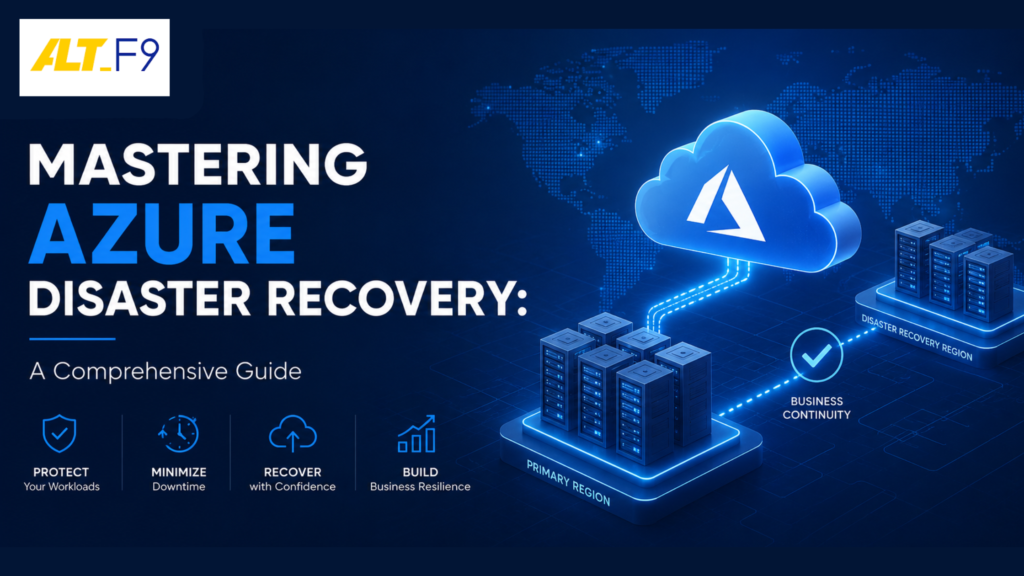
Mastering Azure Disaster Recovery: The Comprehensive Guide
Unlock the secrets of Azure Disaster Recovery with our comprehensive guide, empowering you to safeguard your business against unexpected disruptions.
Understanding Azure Disaster Recovery
Azure Disaster Recovery is an essential component of Microsoft’s cloud computing offerings, designed to ensure that businesses can quickly recover from unexpected disruptions. In the world of cloud computing, disruptions can come in many forms—natural disasters, cyber-attacks, hardware failures, and human errors. Azure Disaster Recovery provides businesses with the tools and capabilities to maintain business continuity and minimize downtime during such events.
At its core, Azure Disaster Recovery involves replicating critical applications and data to a secondary location, ensuring that they can be quickly restored in the event of a disaster. This secondary location can be another Azure region or an on-premises data center, providing flexibility in how businesses implement their disaster recovery strategy. By leveraging Azure’s robust infrastructure, businesses can achieve high levels of availability and resilience, protecting their operations from the impacts of unforeseen events.
For businesses looking to transition, our Cloud Computing Solutions provide strategic guidance tailored to your specific infrastructure needs.
Importance of Disaster Recovery in Cloud Computing
In today’s digital age, businesses rely heavily on cloud computing to power their operations, making disaster recovery a critical consideration. Cloud environments, such as those provided by Azure, offer immense benefits in terms of scalability, flexibility, and cost-efficiency. However, they are not immune to disruptions.
- Cyber Threat Mitigation: Cyber-attacks, such as ransomware and data breaches, can have devastating consequences. A robust disaster recovery plan ensures that businesses can quickly recover their systems and data. This is why we focus on Layered Security and Endpoint Protection to stop threats before they reach your business.
- Regulatory Compliance: Many industries are subject to strict regulations regarding data protection. By implementing a comprehensive strategy, businesses can avoid hefty fines and legal consequences.
- Customer Satisfaction: In a competitive market, downtime leads to lost revenue. Partnering with Top Managed IT Service Providers in Chennai ensures you have the proactive support needed to maintain reliability.
Key Features of Azure Disaster Recovery
Azure Disaster Recovery offers a wide range of features designed to help businesses protect their applications and data:
- Azure Site Recovery (ASR): A service that orchestrates the replication and recovery of virtual machines (VMs) and physical servers across Azure regions or on-premises environments.
- Azure Backup Integration: A cloud-based solution providing secure and reliable data protection. To understand how this fits into a broader strategy, read our guide on Top MSP Backup Solutions for Business.
- Automated Recovery Plans: These help streamline the recovery process and reduce human error by defining the exact sequence of steps required to recover applications.
- Monitoring and Reporting: Provides real-time visibility into the status of the DR environment with detailed metrics and alerts.
Planning Your Disaster Recovery Strategy
Planning an effective strategy is a critical step in maintaining continuity:
- Risk Assessment: Conduct a thorough assessment to identify potential threats like natural disasters, cyber-attacks, or hardware failures.
- Determine Recovery Objectives:
- Recovery Time Objective (RTO): The maximum tolerable downtime.
- Recovery Point Objective (RPO): The maximum tolerable data loss.
- Develop the Plan: Outline specific steps using Azure Site Recovery and Azure Backup, including a communication plan for stakeholders.
- Testing: Regularly simulate disaster scenarios to identify and address potential issues before an actual emergency occurs.
Implementing Azure Site Recovery
Implementing ASR involves several crucial steps:
- Infrastructure Setup: Create a Recovery Services vault in the Azure portal to manage and monitor replication.
- Configure Replication: Select source and target locations, replication frequency, and retention settings.
- Enable Replication: Install necessary agents on source machines and configure policies.
- Create Recovery Plans: Define automated scripts and manual actions to ensure a consistent recovery process.
Testing Your Disaster Recovery Plan
Regular testing ensures reliability. The process involves:
- Defining the scope and objectives of the test.
- Executing the test by simulating a disaster and following the recovery plan.
- Involving all relevant stakeholders (IT staff, business units, partners).
- Analyzing results to identify gaps and update procedures.
Best Practices for Azure Disaster Recovery
- Conduct Thorough Risk Assessments: Understand specific threats to your operations.
- Define Clear RTO/RPO: Align your technical strategy with business needs.
- Develop Detailed Documentation: Include communication protocols and step-by-step procedures.
- Regular Testing: Perform tests at least annually or whenever significant infrastructure changes occur.
- Continuous Monitoring: Use Azure’s reporting tools to gain real-time visibility into environment health.
Common Challenges and Solutions
- Outdated Plans: Solve this by establishing a regular review process involving key stakeholders.
- Incomplete Coverage: Conduct periodic audits to ensure all new systems are included in the DR strategy.
- Testing Struggles: Establish a regular testing schedule and document every result to identify recurring issues.
- Communication Gaps: During a crisis, unified communication is key. Learn why 3CX is the future of communication to ensure your team stays connected.
Real-World Case Studies
- Manufacturing: A global firm used ASR to replicate applications across Azure regions, achieving high availability across multiple locations.
- Financial Services: By combining ASR and Azure Backup, a firm met strict regulatory requirements while enhancing its reputation for reliability.
- Healthcare: An organization protected patient EHR systems by replicating to secondary regions, ensuring high-quality care even during disruptions.
Frequently Asked Questions (FAQ)
1. What is the difference between Azure Backup and Azure Site Recovery (ASR)?
Azure Backup focuses on data protection—saving copies of files or databases for long-term retention. ASR focuses on business continuity—replicating entire virtual machines so your applications keep running during an outage.
2. Does Azure Site Recovery support physical servers?
Yes. ASR supports the disaster recovery of on-premises physical servers. During a failover, these are spun up as virtual machines within Azure.
3. Is there a cost for performing disaster recovery drills?
There is no separate service fee for the drill itself, but you will incur standard Azure compute charges for the virtual machines created during a test failover.
Conclusion and Future Trends
Mastering Azure Disaster Recovery is essential for modern business continuity. Looking ahead, AI and Machine Learning will likely play a massive role in predicting disruptions before they occur.
Ready to secure your infrastructure?
AltF9 Technology Solutions specializes in “Seamless Business Integration” for SMEs. We’ve delivered over 150 projects across 6 countries, ensuring that your IT infrastructure is robust and ready for anything.
Contact AltF9 today:
- Website: https://altf9.tech
- Phone: +91 8056005901
- Email: Contact@altf9.tech
- Expertise: Cloud Migration, M365, & 3CX Phone Systems.
- Location: Chennai, India (Global Service)