
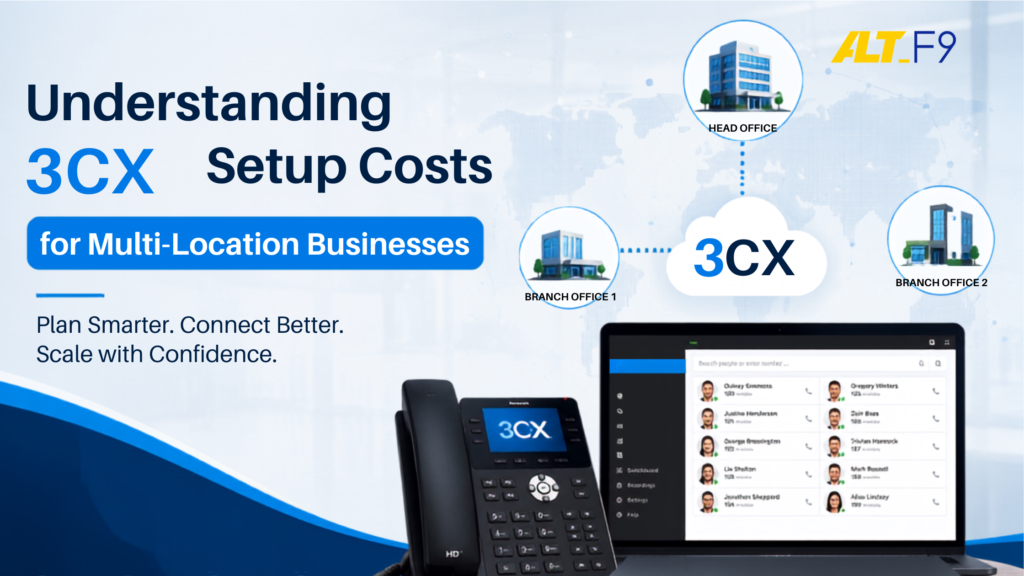
Understanding 3CX Setup Costs for Multi-Location Businesses: A Complete TCO & Compliance Guide
Operating a multi-office business across India—anchored by corporate headquarters in Chennai and branch locations throughout Tamil Nadu—presents distinct communication challenges. Legacy analog PBX hardware and separate mobile lines create operational silos and introduce budget unpredictability. Meanwhile, standard cloud phone platforms charge high monthly per-user fees, forcing an enterprise with 80 employees across three sites to buy 80 individual licenses regardless of actual call volume.
Switching to a modern 3CX business phone system shifts this financial dynamic. Rather than penalizing multi-site growth with per-seat billing, 3CX charges a single flat annual license based entirely on concurrent call capacity. This practical guide breaks down the true total cost of ownership (TCO), multi-site implementation stages, and essential Indian telecom compliance rules to help you make an informed infrastructure decision.
Table of Contents
- Demystifying the 3CX Simultaneous Call (SC) Licensing Model
- The True Total Cost of Ownership (TCO) Matrix
- The Multi-Location VoIP Deployment Sequence
- Navigating Critical Indian Telecom Compliance Realities
- Connecting Communications with Overarching Cloud Playbooks
- Best Practices, Common Mistakes, and Real-World Example
- Frequently Asked Questions (FAQs)
- Conclusion & Next Steps
Demystifying the 3CX Simultaneous Call (SC) Licensing Model
Understanding 3CX architecture requires moving away from total employee headcount and focusing on peak real-world call traffic. 3CX licenses are provisioned by Simultaneous Calls (SC)—the maximum number of active concurrent connections (inbound customer calls, outbound dials, and internal inter-office chats) taking place at any given second.
For typical multi-location workflows, real-world user-to-call ratios range between 4:1 and 6:1. Consequently, a company supporting 60 to 80 distributed team members can comfortably route all corporate voice traffic through a single 16 SC license tier.
Selecting the Right 3CX System Edition
Organizations can select between two main operational tiers based on their functional needs:
- The PRO Edition: Includes essential business telephony features such as multi-level automated voice menus (IVR), full CRM software integration (e.g., Salesforce, Zoho), central call queues, and cross-branch ring groups.
- The ENT/AI Edition: Delivers everything in the PRO tier alongside advanced artificial intelligence tools for real-time call transcriptions, customer sentiment analysis, and seamless synchronization with Microsoft 365 managed services.
The True Total Cost of Ownership (TCO) Matrix
While the annual 3CX software license delivers significant savings over per-seat alternatives, building an accurate operational budget requires evaluating the complete infrastructure stack. A complete enterprise VoIP setup includes the core software license, secure cloud hosting, certified endpoints, compliant telecom connections, and ongoing engineering support provided under a structured managed IT services framework.
| Cost Component | 16 SC Configuration (50–80 Employees) | 32 SC Configuration (100–150 Employees) | 64 SC Configuration (200–300 Employees) |
| Official 3CX PRO License | ~$750 / year | ~$1,395 / year | ~$2,495 / year |
| Secure Cloud Hosting | ~$300 / year (AWS t3.medium / Azure equivalent) | ~$500 / year (AWS t3.large / managed private cloud) | ~$800 / year (Dedicated virtual server allocations) |
| Compliant SIP Trunk Lines | Usage-tiered; licensed national carriers | Dedicated channel lines with automatic failover | High-capacity corporate primary voice links |
| IP Desktop Hardware | Optional; certified Yealink or Grandstream models | Provisioned contextually for receptionists & executives | Scaled across localized physical branch offices |
| Expert Setup & Integration | One-time deployment retainer covering core tenant design | Mid-market migration fee linking custom data fields | Enterprise multi-site network configuration |
| Ongoing Engineering Support | Flat-rate managed monitoring, patching, & security | Central helpdesk allocation under a local SLA | Proactive 24/7/365 NOC infrastructure tracking |
The Multi-Location VoIP Deployment Sequence
Executing a multi-office VoIP migration requires an ordered, disciplined rollout. Modifying phone routing or security firewalls out of order can trigger dropped calls, network loops, and compliance vulnerabilities.
Phase 1: Infrastructure Audit & Traffic Sizing (1 Week)
Analyze historical Call Detail Records (CDRs) across all physical branches to confirm peak concurrent calls. Review local internet bandwidth, network switch capacity, and device configurations.
Phase 2: Perimeter Firewall & Network Hardening (1 Week)
Configure primary firewalls at each office before installing software. Run the official 3CX Firewall Checker to verify SIP and RTP port mappings. Apply strict IP whitelisting to limit admin access to authorized networks.
Phase 3: SIP Trunk Integration & Call Routing Design (1–2 Weeks)
Link your virtual PBX with licensed, compliant national carriers. Build multi-site outbound rules, assign localized inbound Direct Inward Dialing (DID) numbers, and set up multi-level auto-attendants.
Phase 4: Endpoint Provisioning & User Onboarding (1 Week)
Distribute 3CX mobile and desktop applications to team members using QR-code onboarding. Deploy physical IP desktop phones using secure STUN protocol or dedicated local 3CX Session Border Controller (SBC) hardware at satellite branches to keep local network traffic optimized.
Phase 5: Live Cutover & Continuous Telemetry Monitoring (Weekend Window)
Complete final number porting and switchover during a low-traffic weekend window to ensure zero operational disruption. Connect the environment to centralized monitoring dashboards for real-time traffic tracking.
Navigating Critical Indian Telecom Compliance Realities
Deploying digital voice networks across multiple offices in India requires strict adherence to national telecom regulations. Bypassing these laws can lead to severe legal liabilities and immediate service disconnection.
The Absolute Prohibition of Toll Bypass
The Department of Telecommunications (DoT) and the Telecom Regulatory Authority of India (TRAI) enforce strict guidelines regarding voice distribution. Specifically, mixing public switched telephone network (PSTN) calls with internet data networks—known as toll bypass—is strictly prohibited.
Multi-location organizations cannot route an incoming call from a Chennai landline over an internal IP network to exit as a local PSTN call in another telecom circle (e.g., Bengaluru or Mumbai). Your system architecture must route external PSTN calls through officially licensed national carriers via authorized SIP trunks.
Mandatory Compliance with Data Mandates
Under national security regulations and CERT-In guidelines, enterprises must securely store detailed, unalterable Call Detail Records (CDRs) and authentication logs for at least 180 days within Indian boundaries. Additionally, the Digital Personal Data Protection (DPDP) Act requires clear protection controls for personal voice data.
Working with specialized technology partners like AltF9 Technology Solutions Pvt. Ltd. ensures call logs and telemetry stream into secure, tamper-proof storage environments protected by proactive cybersecurity services.
Connecting Communications with Overarching Cloud Playbooks
Modernizing enterprise voice channels should fit seamlessly into your overall IT strategy. Aligning telephony upgrades with structured cloud migration services transfers core workloads from localized physical hardware to virtualized cloud platforms such as AWS cloud services or Microsoft Azure.
By coupling cloud transformations with unified communications, SMEs eliminate local single points of failure, ensure automated disaster recovery, and give remote employees secure access to enterprise phone features from any location. Furthermore, pairing cloud PBX deployments with reliable backup and disaster recovery solutions ensures continuous voice availability even during severe regional outages.
Best Practices, Common Mistakes, and Real-World Example
Industry Best Practices
- Audit Core Network Assets: Before initiating a rollout, audit your underlying IT infrastructure services to ensure local switches, firewalls, and bandwidth can handle voice-over-IP traffic cleanly.
- Use SBC Hardware at Branch Sites: Deploy a 3CX Session Border Controller (SBC) at satellite locations to encrypt call traffic, simplify firewall settings, and optimize local bandwidth usage.
- Enforce Zero Trust Security Controls: Require multi-factor authentication (MFA) across all web portals and restrict administrative access strictly to static corporate IP addresses.
Common Implementation Mistakes
- Overestimating Required SC Capacity: Buying licenses based on employee count rather than actual peak concurrent calls inflates software costs.
- Skipping the 3CX Firewall Checker: Failing to validate network firewalls before go-live leads to one-way audio issues and dropped calls.
- Neglecting Local SIP Compliance: Attempting to bridge local PSTN gateways across different telecom circles breaches DoT guidelines.
Real-World Enterprise Example
A mid-sized manufacturing company with 3 distributed facilities in Tamil Nadu and 90 total employees was paying heavy monthly fees per extension on a legacy cloud phone platform. After migrating to a 16 SC 3CX PRO Edition hosted on AWS and paired with Tata Communications SIP trunks, the company reduced its annual voice infrastructure costs by 58% while maintaining complete DoT regulatory compliance.
For more technical guides and operational strategies, visit the AltF9 technology blog.
Summary
- Cost-Effective Scaling: 3CX simultaneous call (SC) licensing eliminates expensive per-seat pricing models for multi-office businesses.
- Complete TCO Visibility: True setup costs include software licensing, cloud hosting, SIP trunking, hardware endpoints, and managed IT services.
- Phased Implementation: Following a structured 5-phase deployment sequence prevents downtime and ensures security.
- Strict Regulatory Compliance: Multi-site PBX setups in India must follow DoT toll bypass prohibitions and maintain 180-day log retention under CERT-In guidelines.
Frequently Asked Questions
1. How does 3CX pricing differ from traditional cloud VoIP systems?
Traditional VoIP providers charge fixed monthly fees per user seat, which quickly scales up costs as team headcount grows. 3CX uses a flat annual pricing structure based on total simultaneous calls (SC), allowing unlimited user extensions on a single license.
2. How do I determine how many Simultaneous Call (SC) licenses my company needs?
Most standard office environments follow a 4:1 or 6:1 ratio of total users to active phone calls. For example, a business with 60 to 80 employees typically requires a 16 SC license to manage peak call volume smoothly.
3. What is a Session Border Controller (SBC) and why is it needed for multi-office setups?
A 3CX SBC is a lightweight software service installed at satellite offices. It bundles and encrypts voice traffic between branch sites and the central 3CX server, simplifying local firewall setups and improving call quality over standard internet connections.
4. Is hosting 3CX on AWS or Microsoft Azure compliant with Indian data regulations?
Yes, provided your AWS or Azure server instances are provisioned within Indian data center regions (e.g., Mumbai or Hyderabad). This ensures Call Detail Records (CDRs) and voice data remain within national borders in accordance with CERT-In and DPDP requirements.
5. Can we retain our existing office landline numbers when switching to 3CX?
Yes. Using official number porting processes or direct SIP trunk integration from licensed carriers like Tata Communications or Airtel, you can preserve your business phone numbers while upgrading your underlying PBX infrastructure.
6. What happens if our local office internet goes down during business hours?
Because 3CX runs in secure cloud environments, mobile and desktop applications continue functioning over cellular networks. Inbound calls can also automatically fail over to secondary SIP channels or mobile numbers.
Ready to Modernize Your IT?
Whether you’re planning a cloud migration, improving cybersecurity, optimizing Microsoft 365, or upgrading your IT infrastructure, AltF9 Technology Solutions Pvt. Ltd. is here to help.
Contact our experts today
📞 Phone: +91 8056005901
📧 Email: Contact@altf9.tech
🌐 Website: https://altf9.tech
Let’s build a secure, scalable, and future-ready IT environment for your business.