
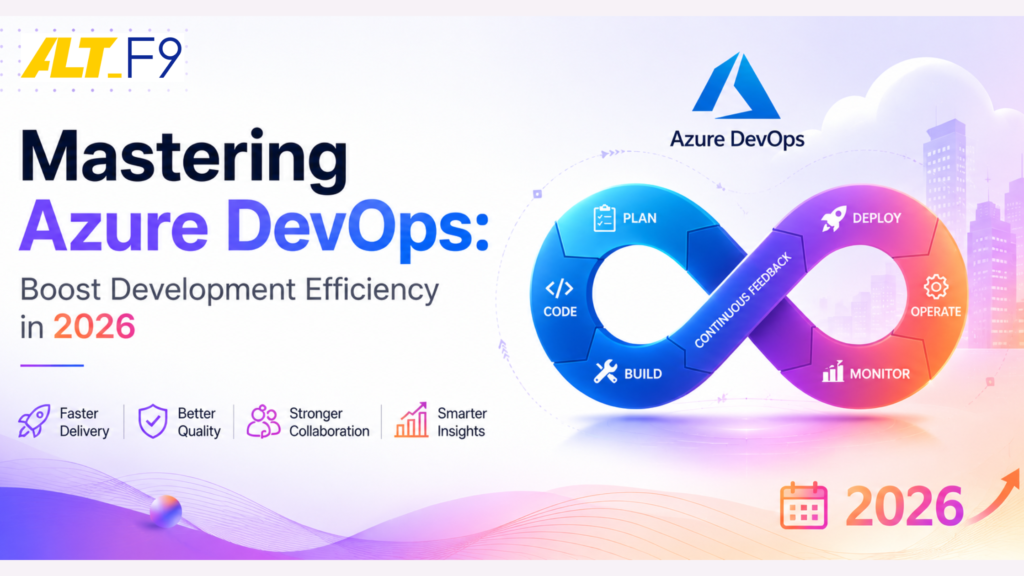
Mastering Azure DevOps: Boost Your Development Efficiency Today
Unlock your team’s potential with Azure DevOps. Discover strategies to enhance collaboration, streamline workflows, and elevate your development efficiency today!
Key Features of Azure DevOps
Azure DevOps is a comprehensive suite of development tools that supports the entire software development lifecycle (SDLC).
- Azure Boards: An agile project management solution to plan, track, and discuss work across teams. With customizable Kanban boards, interactive backlogs, and powerful analytics, Azure Boards ensures that teams can manage their work efficiently. Integration with GitHub allows seamless tracking of issues directly from the source code.
- Azure Repos: Offers cloud-hosted private Git repositories. It ensures your source code is stored securely with robust version control, supporting pull requests, branch policies, and code reviews to maintain high quality standards.
- Azure Pipelines: A standout CI/CD platform providing cloud-hosted continuous integration and delivery. It supports building, testing, and deploying code to any platform (Windows, macOS, or Linux).
- Strategic Support: Implementing these features effectively requires a strong cloud foundation. As a specialist in Microsoft Azure Cloud Services, we help businesses build the scalable environments necessary for modern DevOps.
Benefits of Using Azure DevOps for Development Teams
Azure DevOps offers numerous benefits that significantly enhance productivity:
- Improved Collaboration: A unified platform where developers, testers, and project managers collaborate seamlessly.
- Streamlined Workflows: Integrates tools that cover the entire development lifecycle. This mirrors the efficiency of Microsoft 365 Managed Services, which unifies your broader business productivity tools.
- Security and Compliance: Supports standards like ISO 27001, SOC 2, and GDPR. With Azure Repos, you ensure code is stored securely with robust access controls.
- Unified Communication: DevOps thrives on communication. Pairing your technical tools with 3CX Telephony Managed Services ensures your global development teams stay connected without friction.
Setting Up Your Azure DevOps Environment
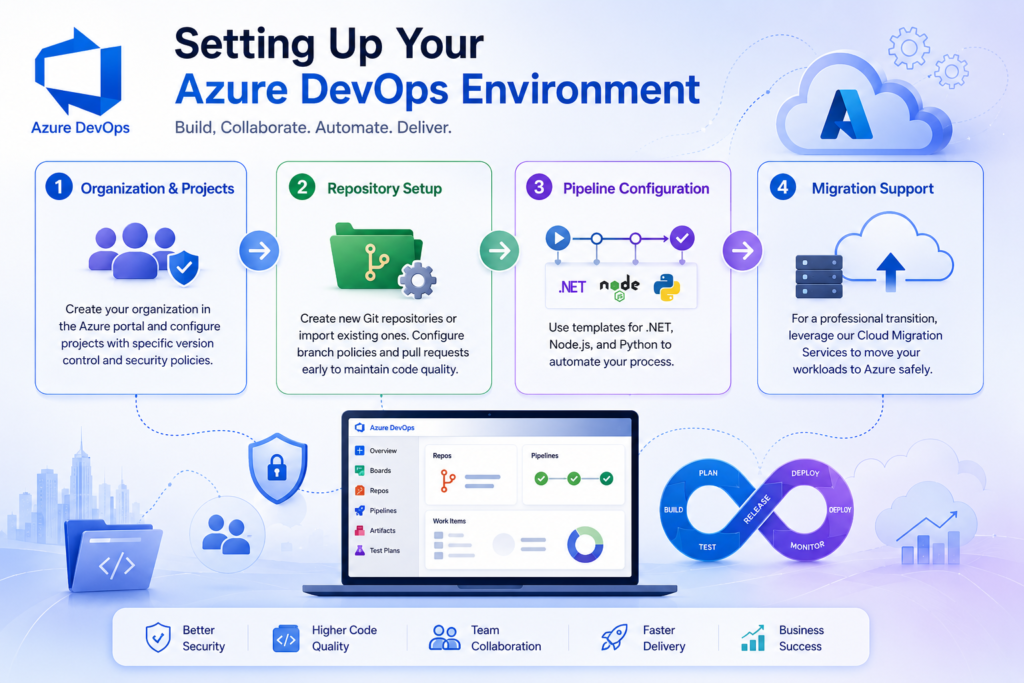
Setting up is a straightforward process that begins with creating an Azure DevOps organization.
1.Migration Support: For a professional transition, leverage our Cloud Migration Services to move your workloads to Azure safely.
2.Organization & Projects: Create your organization in the Azure portal and configure projects with specific version control and security policies.
3.Repository Setup: Create new Git repositories or import existing ones. Configure branch policies and pull requests early to maintain code quality.
4.Pipeline Configuration: Use templates for .NET, Node.js, and Python to automate your process.
Best Practices for Project Management
To work effectively, a strategic approach is required:
- Master Azure Boards: Use backlogs and user stories to visualize work on Kanban boards. Regularly prioritize tasks to keep the team focused.
- Strong Branching Strategy: Use feature branches and only merge into the main branch after thorough testing and code reviews.
- CI/CD Discipline: Set up pipelines to automate builds and tests. Catching issues early prevents costly downtime.
- Infrastructure Reliability: Ensure your development tools are backed by a resilient system. Explore our IT Infrastructure Management to keep your underlying tech stack optimized.
Integrating with Other Tools & Automation
Automation is the heart of efficiency. Azure DevOps Pipelines provide a powerful platform for this:
- GitHub & Teams Integration: Connect your pipelines with GitHub and link issues to Azure Boards. Integrate with Microsoft Teams to receive real-time notifications about pipeline statuses.
- YAML Pipelines: Define your pipeline using YAML for version-controlled, easily repeatable configurations.
- Testing & Monitoring: Incorporate tools like Selenium or JUnit. Use Azure Monitor to track application performance and health in real-time.
- Further Insights: For more tips on system integration, read our blog on 3CX CRM Integration Guide.
Common Challenges and Solutions
- Complex Dependencies: Use the dependency tracker in Azure Boards to visualize and manage relationships between work items.
- Code Consistency: Implement mandatory branch policies and utilize static code analysis to identify quality issues.
- Pipeline Performance: Speed up build cycles by using caching and parallel jobs. Regularly monitor for bottlenecks to maintain high efficiency.
FAQ: Mastering Azure DevOps
1. What is the difference between Azure Repos and GitHub?
Azure Repos provides private, cloud-hosted Git repositories focused on tight integration with Azure Boards and Pipelines. GitHub is a more social platform with a massive public community. Many enterprise teams use GitHub for code while utilizing Azure Pipelines for their CI/CD needs.
2. Is Azure DevOps only for Microsoft-based technologies?
Absolutely not. Azure DevOps is platform-agnostic. You can build, test, and deploy applications written in Python, Java, Node.js, PHP, and more to Windows, Linux, or macOS environments.
3. What is the role of YAML in Azure Pipelines?
YAML allows you to define your build and release processes as code. This means your pipeline configuration is stored in your repository, allowing for version control, code reviews, and easier replication across projects.
4. How do I migrate from an on-premises CI/CD system to Azure DevOps?
Migration involves setting up your Azure DevOps organization, importing your repositories, and recreating your build/release steps in Azure Pipelines. For a complex migration, consulting with an Authorized Azure Partner can ensure zero data loss.
Contact Us Today
If you’re looking to implement Azure DevOps or optimize your current cloud infrastructure, our team at AltF9 Technology Solutions is ready to help. We have delivered over 150+ projects across 6 countries, specializing in high-performance IT solutions.
- Phone: +91 8056005901
- Email: Contact@altf9.tech
- Website: https://altf9.tech
- Location: Chennai, India (Global Support Available)
Conclusion: Elevate Your Efficiency
Mastering Azure DevOps is essential for any development team looking to boost their productivity. By leveraging the platform’s features—from Boards to Pipelines—you can deliver outstanding software faster than ever.
Ready to take your business technology to the next level? Visit AltF9 Technology Solutions today to explore our full range of services.